Introduction
As you all might be familiar with that nowadays choosing for the right CRM software is no longer just a technical decision, it is a long-term business strategy. Today, companies are not just looking for a system to store their customer data; but they also want scalable solutions from that data which might help the company to improve their sales performance, automate workflows, and increase ROI (return on investment).
This is where the real debate begins: Custom CRM vs Salesforce.
On one side, you got Salesforce which is easily one of the most popular CRM software platforms in the world, offering ready-to-use features through a SaaS subscription model.
On the other side, businesses are becoming smart. They are increasingly exploring custom CRM development, where they build a system tailored exactly to their processes, technology stack, and long-term growth strategy. A custom CRM offers flexibility, ownership, scalability, and control over costs.
The question is quite simple, but the decision is complex:
Should you build your own CRM from scratch, or should you buy an established solution like Salesforce?
This guide will help you guide through the Build vs Buy CRM decision, covering cost breakdowns, technical considerations, scalability factors, and real-world business impact.
By the end of this article, you will have clear understanding of what exactly you should go for:
-
- What is a custom CRM?
-
- How Salesforce operates in real world
-
- The true cost comparison for long term investment
-
- Which solution fits different business sizes
-
- How to make the right CRM decision for 2026
Let’s break it down logically and strategically so it’s easy for us to understand.
Quick Navigation (Index)
To make this guide easier for you to navigate, here’s a structured overview of what exactly are we going to cover. You can jump directly to your current concern.
What is a Custom CRM?
You will learn about what custom CRM development really means, its working, and when businesses might choose to build their own CRM.
What is Salesforce?
If you want to learn about Salesforce as a CRM software platform, including its SaaS model, and common uses.
Custom CRM vs Salesforce (Detailed Comparison)
You will see a detailed comparison covering features, flexibility, scalability, ROI, and long-term business impact.
Cost Comparison & ROI Breakdown
If you want to deep dive into Salesforce hidden costs, subscription fees, custom CRM costs, and long-term ROI (return on investment).
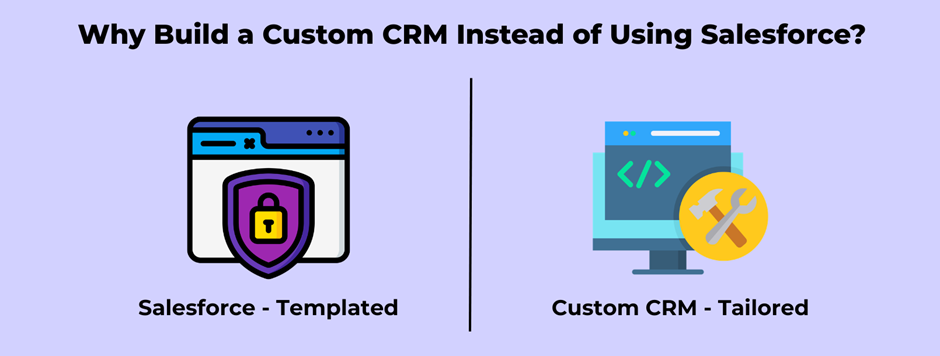
Why Build a Custom CRM Instead of Using Salesforce?
Custom CRM brings more to the table than you might think. Know more about this in section.
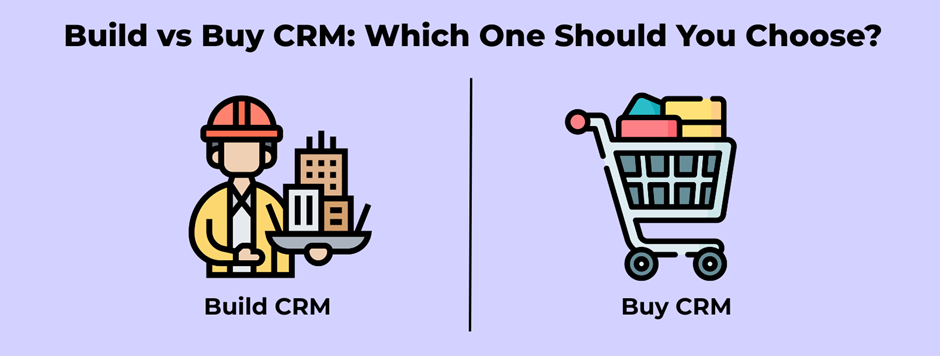
Build vs Buy CRM: Which One Should You Choose?
Still confused about what should you choose between Building CRM and Buying CRM. Have a look in this section.
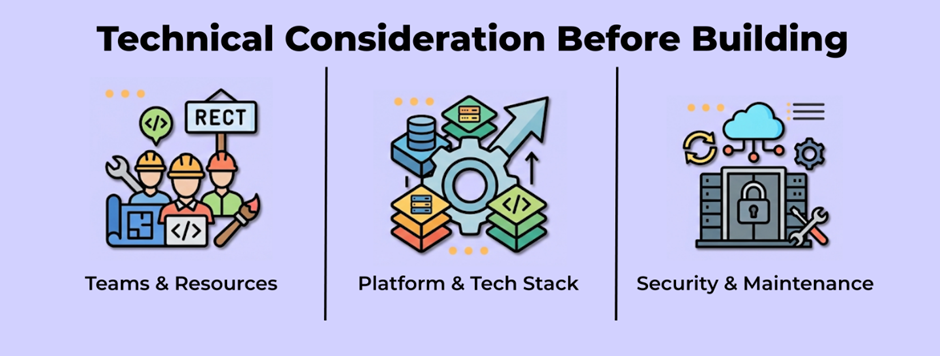
Technical Considerations Before Building
There are some important factors that you might need to consider before Building your First CRM like tech stack selection, database migration, scalability planning, and future-proofing.
Top CRM Software in the Market
You can still buy a CRM Software but are they good enough. Have a look here to find out.
Final Verdict
A final consideration to help you confidently choose the right CRM strategy for 2026.
1. What is a Custom CRM?
Before comparing anything, we need to first understand each term in detail. So, what does Custom CRM actually means.
First of all, CRM Stands for Customer Relationship Management. A Custom CRM is a CRM system that is built specifically for your custom business instead of buying a ready-made software.
Think of it like this:
-
- Buying Salesforce is like buying a ready-made house.
-
- Building a Custom CRM is like constructing your own house based on your needs.
Both does give you a place to live.
But one is ready-made, and the other is fully customized according to you.
It can include:
-
- Customer data management
-
- Sales tracking
-
- Lead management
-
- Automated follow-ups
-
- Reporting dashboards
-
- Internal team workflows
Custom CRM Development Process (Explained Simply)
Building a custom CRM usually includes these steps:
-
- Understanding business requirements
-
- Designing how the system should work
-
- Developing the platform
-
- Testing and improving it
-
- Launching and maintaining it
It’s like creating your own internal business system instead of renting one.
You don’t have to pay monthly subscription fees for every user. Instead, you invest once in development and maintain it over time.
Scalability Advantages
If you don’t know there’s one major reason why many businesses build their custom CRM is scalability.
Scalability simply means:
Can your system grow as your business grows?
With this custom CRM, you can:
-
- Add new features anytime you want
-
- Handle more users when business grows
-
- Expand to new departments
-
- Integrate with new or existing tools
Now you are not investing in subscription, instead you are investing in growth.
In Simple Terms:
A Custom CRM has the ability to give you:
✔ Full control
✔ Flexibility
✔ Ownership
✔ Long-term cost control
✔ Tailored workflow automation
But it also requires:
-
- Initial investment
-
- Development time
-
- Technical planning
2. What is Salesforce?
If you are running a business then you might have searched for CRM software and you might have probably heard the name Salesforce.
It’s one of the most popular CRM platforms in the world. Many big companies out their uses it to manage their customers, sales teams, and internal processes.
But what exactly is Salesforce?
In simple words:
Salesforce is a ready-made CRM software that you can just start using by paying a monthly or yearly subscription fee. You don’t need to build anything. You don’t even need to design it from scratch. You just simply sign up and start using the features it has already provided. It’s as simple as that.
Salesforce can help businesses:
-
- Store customer information
-
- Track leads and sales
-
- Manage follow-ups
-
- Generate reports
-
- Automate some workflows
How does the SaaS Subscription Model Works
Salesforce only works on something known as subscription model.
In simple words:
-
- You pay per user
-
- You pay monthly or yearly
-
- The more users or features you add, the higher the cost
It’s like subscribing to Netflix — but instead of movies, you get CRM tools.
This makes it very easy to get started when you have small business because there’s no big upfront development cost. But over time, those subscription fees can add up.
Enterprise Usage
Salesforce is very popular among large companies.
Why do you ask?
Because it offers:
-
- Advanced reporting
-
- Custom dashboards
-
- Department-level access control
-
- Scalable infrastructure
Big organizations with complex sales processes often find it useful.
Limitations for Small Businesses
Now here’s where things get interesting. We definitely talked about good part of Salesforce but everything has its pros and cons. Lets talk about cons now.
Well Salesforce is powerful tool but it can sometimes feel:
-
- Complicated
-
- Overwhelming
-
- Expensive for smaller teams
Many small businesses or startups sign up thinking it’s simple, but later on they realize that they are using only 20–30% of its features. There is a possibility that you might not need all the features.
In Simple Words:
Salesforce can give you:
-
- A ready-made CRM
-
- Fast setup
-
- Strong brand reputation
-
- Lots of integrations
But it also has cons like:
-
- Ongoing subscription fees
-
- Complexity
-
- Hidden long-term costs
-
- Less flexibility compared to building your own system
3. Custom CRM vs Salesforce (Detailed Comparison)
Let’s hope that everything’s clear about what a Custom CRM is and how Salesforce works, now let’s compare them properly.
You might be confused right now that if both does the same job then which one to choose. And this is where most businesses get confused.
Both options can help you manage customers, track sales, and organize your team. But the way of doing things — and the long-term impact on your business — can be very different according to requirement.
Let’s break it down one step at a time.
Feature Comparison
If you look at both Custom CRM and Salesforce, they both offer similar core features like:
-
- Customer data management
-
- Lead tracking
-
- Sales pipeline management
-
- Reporting dashboards
-
- Workflow automation
As mentioned earlier Salesforce is like a ready-made house that means it comes with these features already built-in. You simply have to activate and configure them.
A Custom CRM, on the other hand, is like making the blue print of the house you want to make and built it. That means it’s built specifically around your workflow.
In short:
-
- Salesforce = pre-built features
-
- Custom CRM = Built-for-you features
Flexibility & Customization
Now let’s see where the real difference is.
So, With Salesforce, you do get some customization options — but only within its system limits. Which means some deeper customizations might require paid add-ons or consultants.
But with a Custom CRM, you’re not limited by a any structure. It’s your own Custom CRM; you can modify the system however you desire.
Let’s say for example:
-
- Add a new sales stage
-
- Create a custom dashboard
-
- Automate a unique internal process
-
- Integrate a new tool
You don’t have to wait for a feature update — you build it when needed.
ROI Comparison (Return on Investment)
Now let’s talk about the most awaited part, Money.
Salesforce requires:
-
- Monthly or yearly subscription fees
-
- Per-user charges
-
- Possible add-on costs
-
- Consultant fees for customization
These costs will continue as long as you use the platform. And it stops working if you don’t pay for it.
A Custom CRM usually requires:
-
- Higher upfront development cost
-
- Maintenance expenses
-
- Occasional upgrades
But after development, you don’t pay per user every month. It’s a one-time investment and after that need some maintenance every once in a while.
Short term:
Salesforce often looks cheaper.
Long term:
Custom CRM can become more cost-effective.
User Adoption & Ease of Use
What exactly does it mean by User adoption?
It means how easily can your team actually use the system without getting overwhelmed.
Salesforce is powerful but sometimes smaller teams may feel overwhelmed by features they don’t even use.
A Custom CRM is pretty much designed to match exactly how your team already works. This usually makes the tool:
-
- Easier to learn
-
- Faster to adapt
-
- Less confusing
Isn’t it obvious that when a system feels simple, people actually use it. And we prefer that way.
It matters more than having 100 advanced features.
Salesforce vs In-House CRM (Control & Ownership)
This is all about control.
With Salesforce:
-
- Your data lives on their platform
-
- Your pricing depends on their plans
-
- Feature changes depend on their updates
With a Custom CRM:
-
- You fully own the system
-
- You control the how your system should work
-
- You decide what to improve and when to improve
It’s the difference between renting and owning.
Neither of them is “wrong” — it totally depends on your business priorities.
Quick Summary
Here’s the simplified comparison:
| Factor | Salesforce | Custom CRM |
| Setup Speed | Fast | Takes time |
| Upfront Cost | Lower | Higher |
| Long-Term Cost | Ongoing subscription | More controlled |
| Flexibility | Limited to platform | Fully customizable |
| Scalability | Plan-based | Fully expandable |
| Ownership | Vendor-controlled | Fully owned |
In Simple Words:
Choose Salesforce if:
-
- You want quick deployment
-
- You don’t have a tech team
-
- You prefer a ready-made solution
Choose Custom CRM if:
-
- You want full control
-
- You plan long-term growth
-
- You want tailored workflows
-
- You want to avoid recurring SaaS dependency
4. Cost Comparison and Return on Investment(ROI)
Starting a new business could lead you to compare custom CRM against Salesforce – maybe your first question would be:
Price matters. That’s an understandable question.
Yet a more useful question might sound something like:
“Which one gives you better value over time?”
Let’s break it down step by step.
Salesforce Hidden Costs and Fees
Starting out, Salesforce might appear surprisingly cheap.
A fee every month or year gets you started.
But you might want to look into “What they overlooked?”
Each person added that means more expense over time. Team expansion will lead to higher bills slowly. As more members will join the price will increase as well. Growth brings extra cost every step.
-
- Advanced feature upgrades
-
- Paid add-ons
-
- Storage limits
-
- Consultant fees for customization
-
- Training costs
A single team of twenty to thirty people on the platform can drive up expenses fast. Monthly charges might just grow without you even noticing. Costs rise sharply once numbers cross that threshold.
Hidden Expenses with Long Term Salesforce Use
Let’s think about long-term.
If you pay:
-
- Per user
-
- Every month
-
- For several years
Still going up, the overall amount might just grow to much.
If you are buying something once, you finish. But not here. There is never a moment when it stops.
Keep making payments if you still want to use. Once you stop, you can’t use.
How Much Custom CRM Development Costs
Focusing on Custom CRM next.
With a custom system, you usually pay:
-
- Initial development cost
-
- Design and setup
-
- Testing and deployment
-
- Ongoing maintenance
Fair enough, that first payment might hit you harder.
But once the system exists, you will have:
-
- Fees that stay flat no matter how many people join. One price covers everyone involved
-
- You’re not locked into subscription tiers
-
- You choose your own update and what to update
-
- You buy the software outright rather than lease it.
Maintenance isn’t free, yet it tends to stay steady and within limits.
Long-Term ROI Comparison
ROI means Return on Investment.
In simple terms:
Does the return beat the cost?
Short term:
If you just starting your business, you should prefer salesforce. One of the biggest advantages of Salesforce is that you don’t have to spend a large amount of money upfront to build a software from scratch. Developing your own system is expensive in the beginning because you need to hire developers and invest time in building it. That’s why Salesforce is easier for businesses to get started without a heavy initial investment.
Long term:
A Custom CRM Might Offer Higher Returns
As more people join, the group gets bigger
This decision is usually taken at later stage, when your business is starting to work smoothly.
Sure, paying up front might save money down the road instead of monthly fees piling on. What matters is how long you actually keep using it.
Simple Example Scenario
Imagine this:
Five years ago, Business A started using Salesforce. Twenty-five people there now rely on it every day. Time passed, yet their setup stayed much the same.
Month after month, they hand over cash just to stay signed up – on top of that, special tweaks come with extra costs now and then.
Starting off, Business B opts for a tailored CRM system that demands more cash at launch yet skips ongoing user fees.
Three to five years down the line, Business B could be paying nothing extra – they’ve already bought out the whole setup.
Custom CRM is always a better option here.
5. Why Build a Custom CRM Instead of Using Salesforce?
As you might know that people often look at price tags first when checking out CRMs. Features grab attention too, sure. Yet something else matters just as much – maybe more.
What if total control over your setup matters to you?
This is the moment where Custom CRM might sound appealing to you.
Let’s break this down in a simple way.
Complete Ownership and Full Control
You keep what you make when building a custom CRM.
This thing is owned by your business.
Control stays with you where your data rests.
Your choice shapes how it runs. The setup bends to your decisions.
Your workflow stays the way it is instead of bending around the tool.
Out of the box, it shapes itself around how you work. Built right into its core, flexibility moves with your flow. Not forcing change – just sliding in beside what already works. Each step stays familiar, yet everything feels smoother somehow.
Using Salesforce means joining many companies on one system. Powerful? Sure. Yet it sticks to set rules.
Avoiding SaaS Subscription Fees
Paying each month keeps access active. What you get depends on how much is paid every cycle.
That means:
-
- Each person using it costs a fee
-
- Every month
-
- Lasts exactly while usage continues
It doesn’t stop.
Custom CRM Costs Explained
-
- Development cost
-
- Setup cost
-
- Maintenance cost
Few realize costs won’t climb with each new person joining over time.
When more people join, expenses stay flat instead of climbing each time someone arrives.
Ahead of growth, firms might find these shifts outcomes noticeably down the road. While expanding, the effect could add up in quiet ways. Later on, what seems small now may shape results more than expected.
Ownership begins when payments stop. What once required ongoing fees now belongs entirely to you.
Custom Workflow Automation
Every business operates differently.
Some companies have:
-
- Complex approval processes
-
- Multi-step sales cycles
-
- Unique reporting needs
-
- Industry-specific requirements
Customizing things in Salesforce works up to a point. Beyond that line, extra tools show up or someone hired just for setup might need to step in.
Salesforce Limitations
Big companies lean on Salesforce because it handles customer data well. Though many tools claim strength, few match its reach across global teams.
Yet there are limits to what it can do
-
- A price tag often climbs when personal touches get added
-
- Advanced features often require upgrades
-
- Complex interface may overwhelm small teams
-
- Too many custom features might make things run slower
-
- Using outside software often means higher expenses
Heavy loads hit harder when you’re smaller, particularly if you’re a shop just getting by. Not every team has extra shoulders to share the weight.
Suddenly a business might find itself covering costs for tools it doesn’t actually need.
At times, getting the system to match their actual workflow feels like pushing uphill. Sometimes it just doesn’t line up with how things really move on the ground. Now and then, reality slips through the cracks of what’s been set up. Rarely does the setup mirror the rhythm of daily work. Often, there’s a gap between process and practice.
Why Build Rather Than Buy?
You Might Consider Building a Custom CRM if:
-
- You want long-term cost control
-
- You prefer full ownership of your system
-
- You plan to scale significantly
-
- You want technology aligned exactly with your business
Some people want things their way, yet stay open to changes over time. What matters is shaping it slowly, fitting life as it shifts.
6. Build vs Buy CRM: Which One Should You Choose?
Chances are, the contrasts have already caught your eye.
Not every path works for all. What matters most? How big your operation is, how much you can spend, what you aim to achieve, also how skilled you are with tech tools.
Let’s break it down clearly.
When to choose Custom CRM
A tailored CRM becomes useful once your company runs into unique demands, because standard software just doesn’t cover well.
You should consider building one if:
-
- Your workflows are unique and don’t fit standard systems
-
- You want complete ownership of your data and system
-
- You plan to scale significantly in the coming years
-
- You want long-term cost stability
-
- You need deep customization without relying on third-party add-ons
When your workflow doesn’t match the usual pattern, squeezing it into an off-the-shelf solution might actually hold things back.
A custom solution shifts as your needs shift.
When your business changes, it shifts right along.
Yet take note: creating something solid means laying groundwork, patience, followed by skilled help when needed.
When to Choose Salesforce
When getting things done faster, Salesforce tends to win out over tighter control. What stands behind its appeal? A smoother path to setup and daily use. Not every team needs deep customization just to move quickly. Sometimes simplicity beats fine-tuned access. For those cases, it pulls ahead without needing extra steps. Speed becomes the main reason many choose it.
You should consider buying (using Salesforce) if:
-
- You need a solution quickly
-
- Most days follow a familiar pattern
-
- Managing development isn’t something you’re aiming for
-
- You prefer a ready-made ecosystem
-
- Your monthly subscription funds are already set aside
Salesforce is powerful right out of the box.
It offers strong integrations, global reliability, and a mature support system.
If your priority is getting started fast without building from scratch, buying this makes sense.
Business Size Considerations
A small team might handle things differently than a large one.
Small Businesses:
Ready-made tools such as Salesforce work well when speed matters more than building from scratch. Setup time shrinks dramatically, which helps teams move faster without large early costs.
Mid-Sized Businesses:
Something might click later – options begin to feel narrow. That moment changes the game between building or buying.
Large or Fast-Growing Companies
Custom setups tend to win out over time, since growing without overspending matters more than getting started fast.
Flexibility starts to matter more once things grow beyond a certain size. Ownership begins to carry weight only when scale kicks in.
Technical Expertise Requirements
One thing plenty of companies overlook? It matters more than they think.
Custom CRM needs planning tools data setup
-
- A technical team or development partner
-
- Clear planning and documentation
-
- Ongoing maintenance support
-
- Scalability planning
Without tech skills on hand, getting things built can feel overwhelming. When support is missing, even simple steps take longer than expected. Figuring it out alone often leads to frustration. Missteps happen more easily without guidance. Confidence drops when problems keep piling up.
A different path? Choosing something such as Salesforce lifts the load. That groundwork exists. Maintenance rolls forward without your effort.
The trade-off?
Less control.
7. Technical Considerations Before Building
A custom CRM? That could be something worth exploring.
Full control.
Tailored workflows.
Long-term flexibility.
Before starting, consider some key details. These aren’t complex – just useful ones. Think them through.
Step by step, we move forward together.
Tech Stack Selection
First of all, what is “Tech Stack?”. Tech stack simply means the tools and technologies that are used to build your CRM.
It includes:
-
- The frontend (what users see)
-
- Behind the scenes, where information gets handled
-
- The database (where information is stored)
-
- Hosting (where the system runs)
Choosing the right stack matters because it affects:
-
- Speed
-
- Security
-
- Scalability
-
- Future updates
For example, modern web frameworks make systems faster and easier to maintain. Cloud-based databases allow smoother scaling. Secure hosting protects customer data.
You don’t need to know how to code — but you do need a team that chooses technologies wisely.
A poor tech choice today can create expensive problems tomorrow.
Database Migration Planning
Starting over isn’t possible when your company relies on spreadsheets, a current CRM, or custom tools – data must move first. When records live across platforms, beginning anew ignores where they began. Without transferring details forward, any new system lacks what came before.
Data migration means transferring:
-
- Customer information
-
- Sales records
-
- Contact history
-
- Notes and documents
This needs planning.
Poor migration can cause:
-
- Missing data
-
- Duplicate entries
-
- Broken records
-
- Reporting errors
A proper plan ensures everything moves cleanly and safely.
Your CRM is only as strong as the data inside it.
Scalability Planning
Tomorrow rarely guides how companies design their operations. Most put effort into solutions that fit only for now.
And that’s a mistake.
Scalability Means Your CRM Should Handle
-
- More users
-
- More customers
-
- More data
-
- More automation
When things get harder as the business expands, one of two paths usually shows up:
-
- Rebuild it
-
- Or heavily modify it later
Spending cash often means spending hours too.
Ahead of growth, thinking ahead keeps pressure low later. Starting early with room to expand means fewer headaches down the line.
Future-Proofing Your CRM
Technology changes fast.
If you are building a CRM, it should have features that are future proof. You don’t want feature that are old and will be outdated in the future.
Future-proofing means:
-
- Clean architecture
-
- Easy integration with new tools
-
- Secure coding practices
-
- Regular updates
-
- Built in pieces, meaning extras come after if needed
A foundation comes first when you picture constructing a home.
A solid base means extra levels come easier down the line.
8. Top CRM software in the market
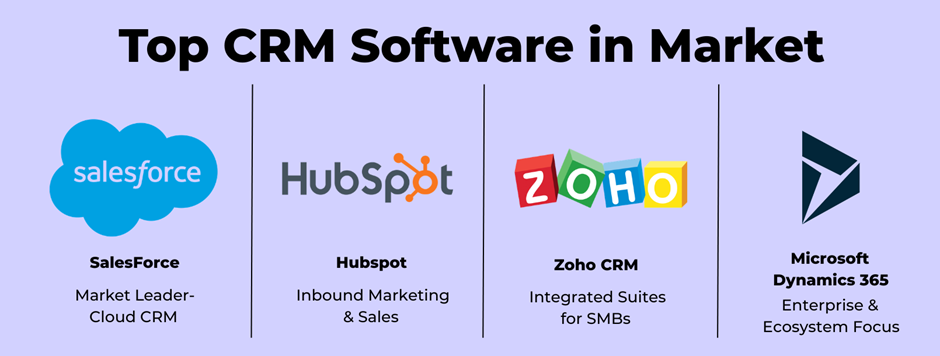
Big numbers show up in CRM sales. That space holds more buyers than most expect.
Every year brings different tools. Focused on smaller companies, a few stand out. Global firms find options too. Simplicity draws some developers – automation pulls others.
Choosing the “best CRM” isn’t about picking the most famous name.
What works depends on your business type, how many people you have, also where you’re headed down the road.
Let’s look at the bigger picture.
Market Leaders Overview
Out there, a few CRM systems run most of the world – not by accident, but through size that won’t quit, steady performance, and networks around them growing like roots under pavement.
These platforms are widely used across industries:
-
- Salesforce
-
- HubSpot CRM
-
- Zoho CRM
-
- Microsoft Dynamics 365
They are trusted by startups, mid-sized companies, and large enterprises.
What makes them leaders?
-
- Strong brand reputation
-
- Large integration ecosystems
-
- Global support networks
-
- Advanced automation capabilities
-
- Continuous product updates
Just because it works for some folks doesn’t mean it fits all.
Best CRM Tools Compared
Looking at leading CRM options, companies usually check these points:
1. Pricing Model
-
- Monthly fees apply based on each person using the service.
-
- Folks out there tend to roll with levels you pay into.
-
- Apart from that, custom CRMs require initial spending.
2. Customization Level
Built-in features can be tweaked – though boundaries usually apply. Custom work fits inside fixed lanes more often than not.
Custom CRMs allow deeper flexibility.
3. Ease of Use
One thing you notice about certain CRMs is how they skip clutter. Fast setup comes first in these tools. Simplicity shapes the whole design, not just one part.
Some tools come packed with strong capabilities yet demand learning time.
4. Scalability
Top companies manage huge amounts of information along with workers across countries without slowing down.
Scaling works for custom setups – provided they’re designed right.
5. Integration Capabilities
Top CRMs connect with email tools, marketing platforms, analytics systems, and payment gateways.
Custom systems can integrate as well, but require development planning.
There is no perfect system.
Only the system that aligns with your business direction.
Is There a “Best CRM in the World”?
People ask this a lot.
The honest answer?
A choice that fits one person might miss the mark for another.
For a startup, the best CRM may be the one that is:
-
- Affordable
-
- Easy to use
-
- Quick to deploy
For a fast-scaling company, the best CRM might be:
-
- Highly customizable
-
- Scalable
-
- Cost-efficient long term
For a global enterprise, the best CRM may be:
-
- Feature-rich
-
- Secure
-
- Supported worldwide
A setup that fits a global company might overwhelm a compact, expanding group.
A single approach can help a tiny group yet hold back one that’s growing fast.
Custom CRM Market Position?
Ready-made software grabs most of the spotlight in public debates.
A Custom CRM fits into the broader picture too – just another piece shaping how systems manage relationships.
Your business shapes the software, not the other way around.
It may not appear in “Top 10 software lists” because it isn’t a product — it’s a strategy.
For companies with:
-
- Unique workflows
-
- Long-term growth plans
-
- Need for deep flexibility
Custom CRM becomes a serious contender.
9. Final Verdict
Honestly there isn’t one right choice here. It’s not about proving which one’s better. It depends on what your business needs.
It’s about alignment.
Today’s fit for your company – what actually works now?
Tomorrow’s path leans on what holds it today.
This is what it comes down to.
Build vs Buy the Core Difference
In total, this walkthrough covered:
-
- Cost structures
-
- Ownership and control
-
- Flexibility
-
- Scalability
-
- Technical planning
-
- Market options
Footsteps differ, yet each holds power in its own way.
Buying a CRM like Salesforce:
-
- Faster setup
-
- Established ecosystem
-
- Predictable subscription model
-
- Strong global support
Building a Custom CRM offers:
-
- Full ownership
-
- Long-term cost control
-
- Tailored workflows
-
- Deep customization
-
- Strategic flexibility
One choice isn’t always better. Sometimes it depends on what matters most at that moment.
But one will match your business model better than the other.
Cost, Flexibility, and Scalability – A Quick Recap
Cost:
Fees stick around longer thanks to how Salesforce handles payments. Over months they unfold, spaced out by design.
A custom CRM might cost more at first, yet it often lowers ongoing expenses later. Still, the initial price tag hits harder early on even though savings grow over time.
Flexibility:
Inside Salesforce, changes fit around what the system already does. A different setup can work without breaking core functions.
What shapes how you work defines its design. It bends fully to match your way of doing things.
Scalability:
Scaling works for each – though tailored setups need careful setup right away.
Subscription models increase cost as teams grow.
The difference is not just financial. It’s strategic.
Right CRM Strategy for 2026
Faster than expected, companies now skip straight to custom tools by 2026.
They are building systems that shape how they sell, communicate, and grow.
Your main concern is:
-
- Speed
-
- Convenience
-
- Lower initial commitment
Then buying CRM might works for you. But in future if you business grows you should definitely think about build your own CRM.
Your main concern is:
-
- Control
-
- Long-term efficiency
-
- Operational independence
-
- Deep alignment with internal processes
Then building CRM is your best choice.
One Final Thought
Your CRM becomes the backbone of your business.
It stores your relationships.
It tracks your revenue.
It supports your team.
This is not a small decision.
It’s a structural one.
Choose the path that supports your growth — not just the one that feels easiest today.