Messagerobo
What is Messagerobo ?
The WhatsApp Business API is a platform provided by WhatsApp that allows businesses to communicate with their customers on the WhatsApp messaging platform at scale. It provides businesses with tools and capabilities to send notifications, provide customer support, and engage with users in a more efficient and streamlined manner.
The API enables integration with business systems, allowing for automated messaging and interactions, while also providing features for managing contacts and message templates in compliance with WhatsApp's policies and guidelines.
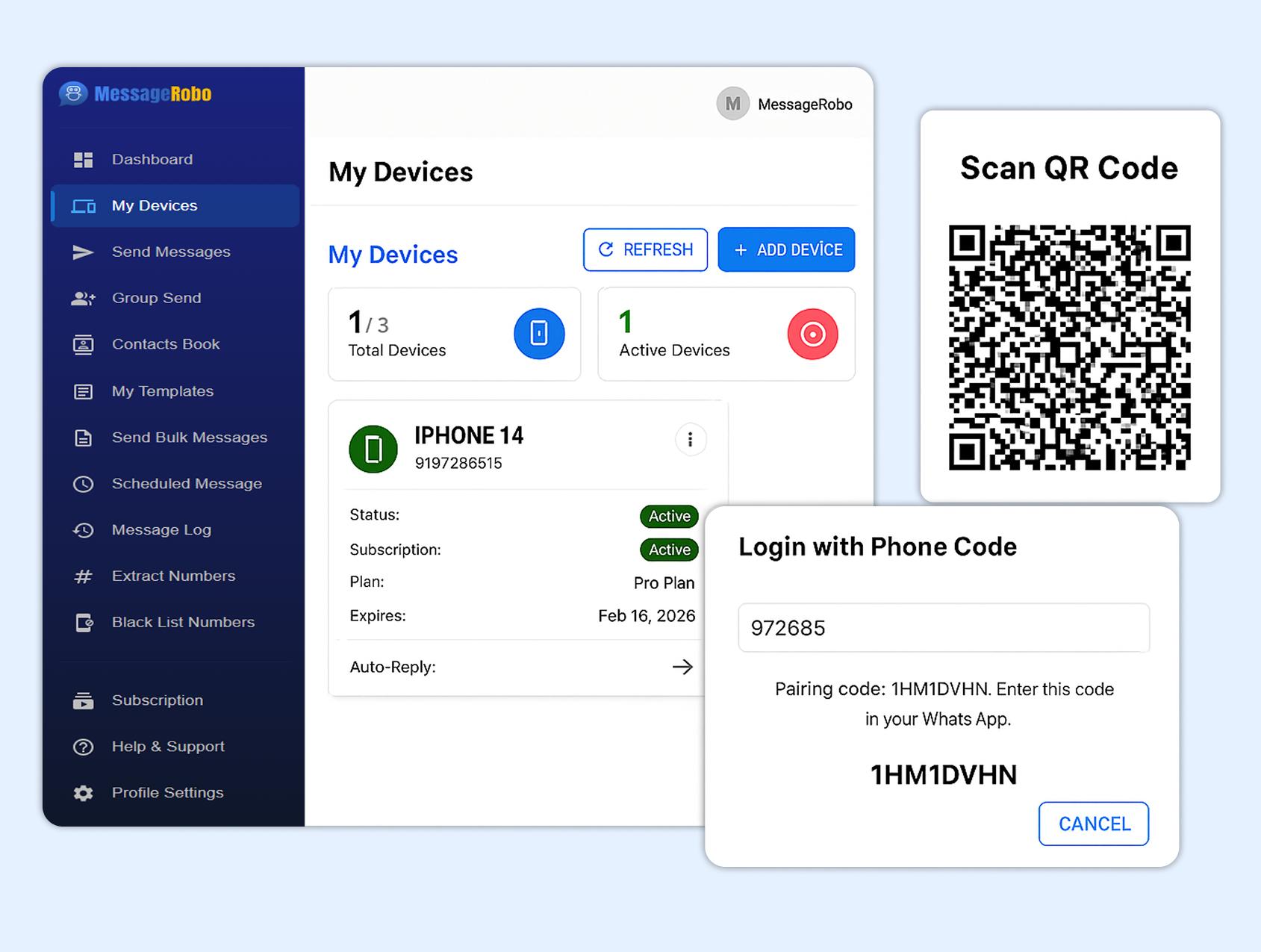
Device connection:
-
To create your device, simply initiate a scan using the scanner tool. Once scanned, your device will be swiftly generated, offering you the flexibility to create multiple devices as needed.
-
This streamlined process ensures efficiency and convenience in device creation, empowering users to effortlessly manage their devices with ease.
Extract numbers :
-
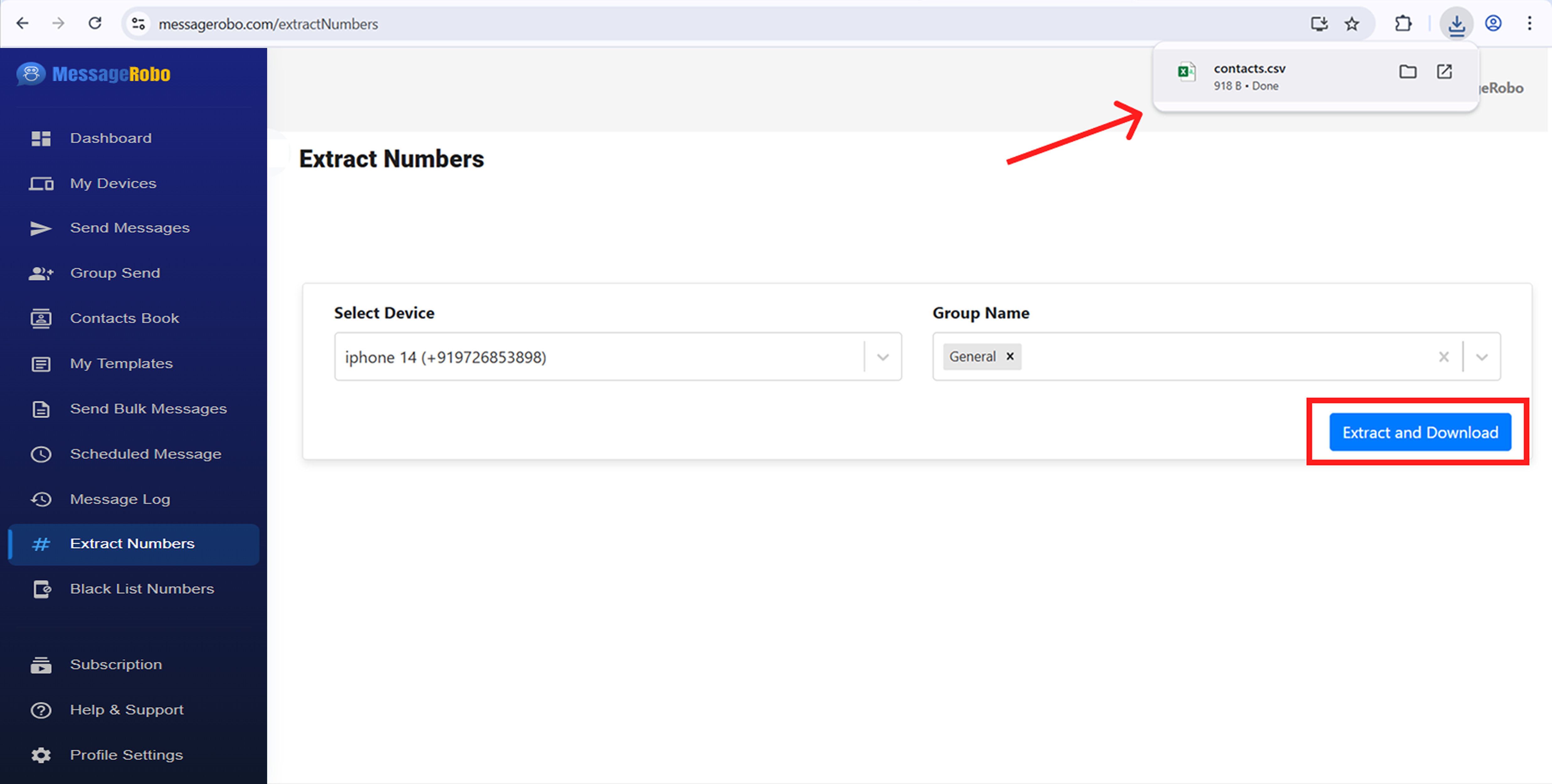
To facilitate the extraction of WhatsApp group contacts, begin by selecting the desired device for access. Once selected, navigate to the specific WhatsApp groups you wish to extract contacts from, with the flexibility to choose multiple groups as needed.
-
Upon completing your selection, simply initiate the extraction process by clicking "Extract and Download." This action generates a CSV file containing all the contact numbers associated with the selected groups.
Send Bulk messages :
Step 1:
-
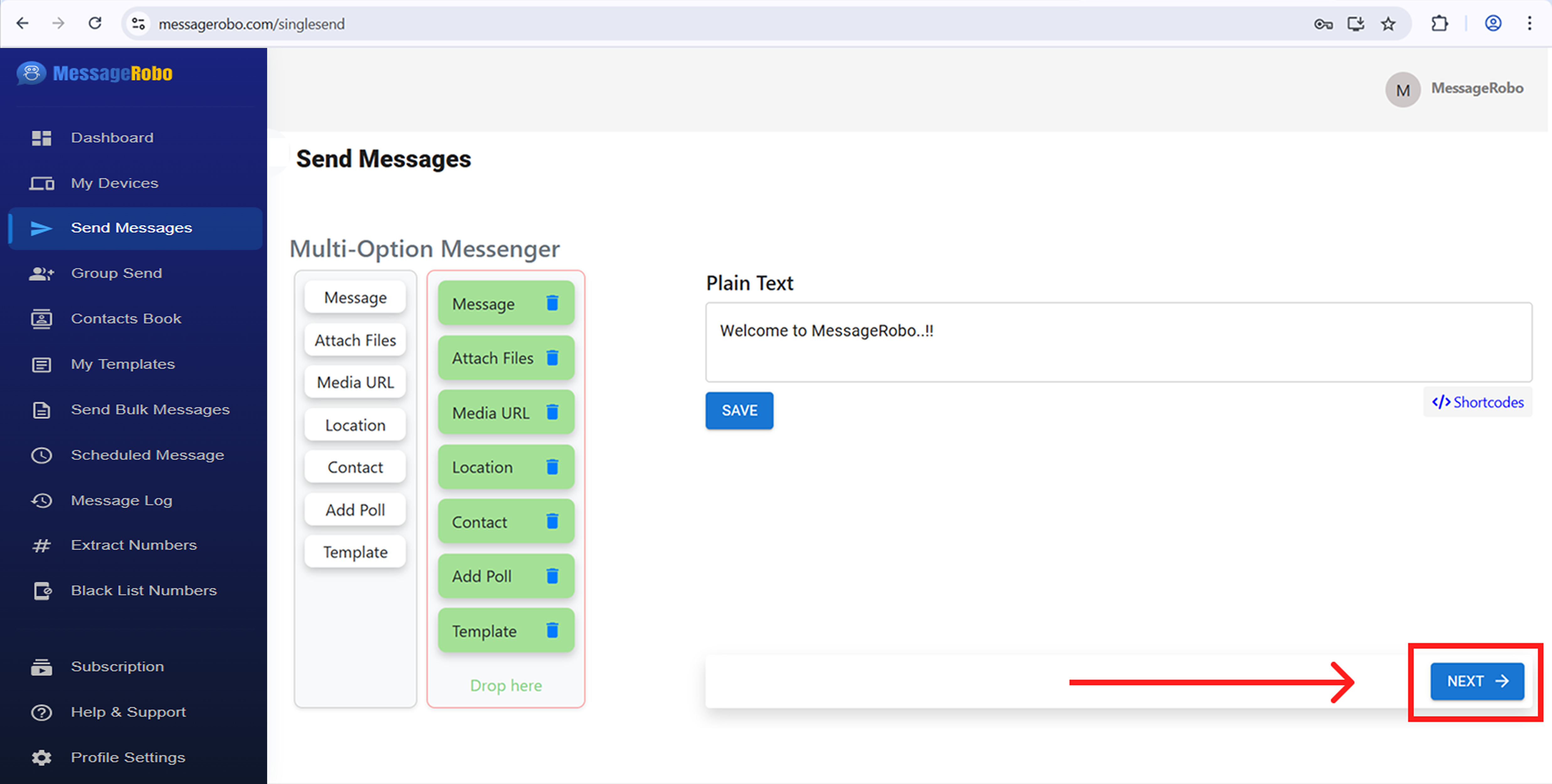
Sending bulk messages is easier than ever with our powerful messenger tool. Create various message types—plain text, media, locations, URLs, contacts, polls, and templates. Plus, control the order of delivery to execute your communication strategy with precision.
Step 2:
-
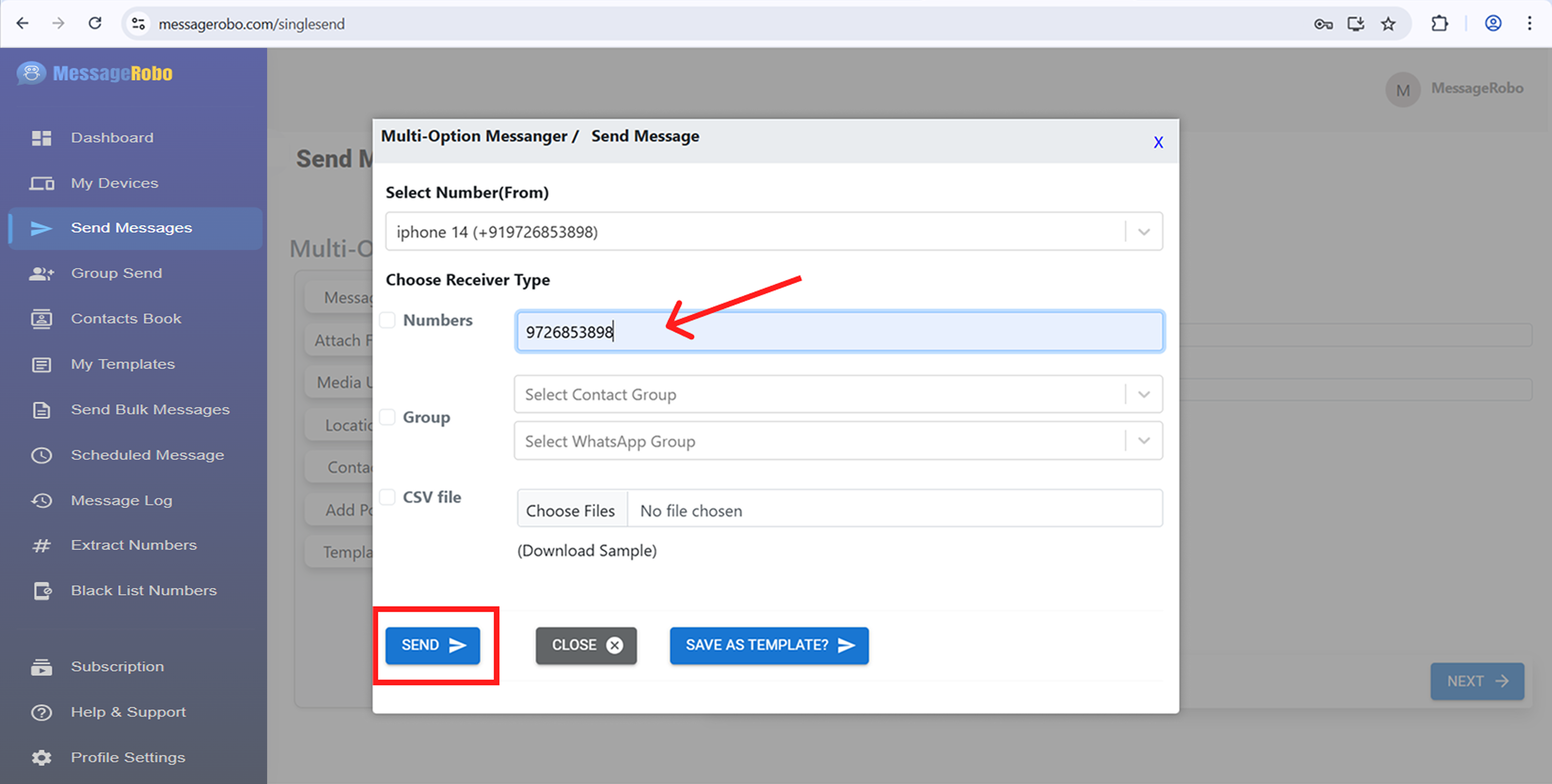
Easily target specific contact groups, message individual WhatsApp group members, or manually add recipients using comma-separated numbers. You can also import contacts from CSV files. Each campaign is tailored to your goals, with messages sent in the exact order you define for clear and effective communication.
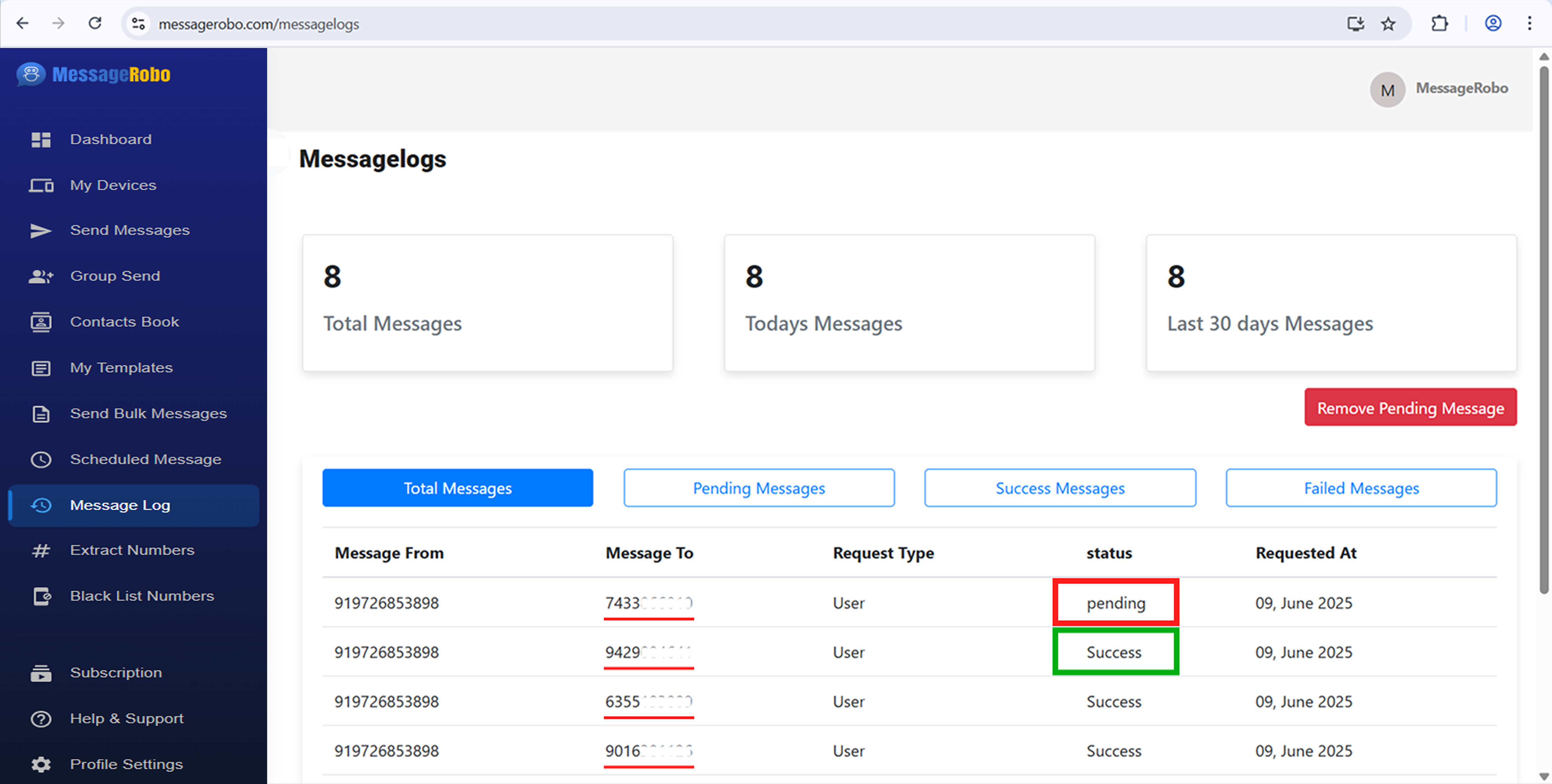
Step 3:
-
Stay fully informed with detailed status histories for every message in your campaign. Monitor delivery progress in real time to ensure messages reach their recipients. With these features, our messenger tool lets you run reliable, effective campaigns with ease and confidence.